
API Key Configuration
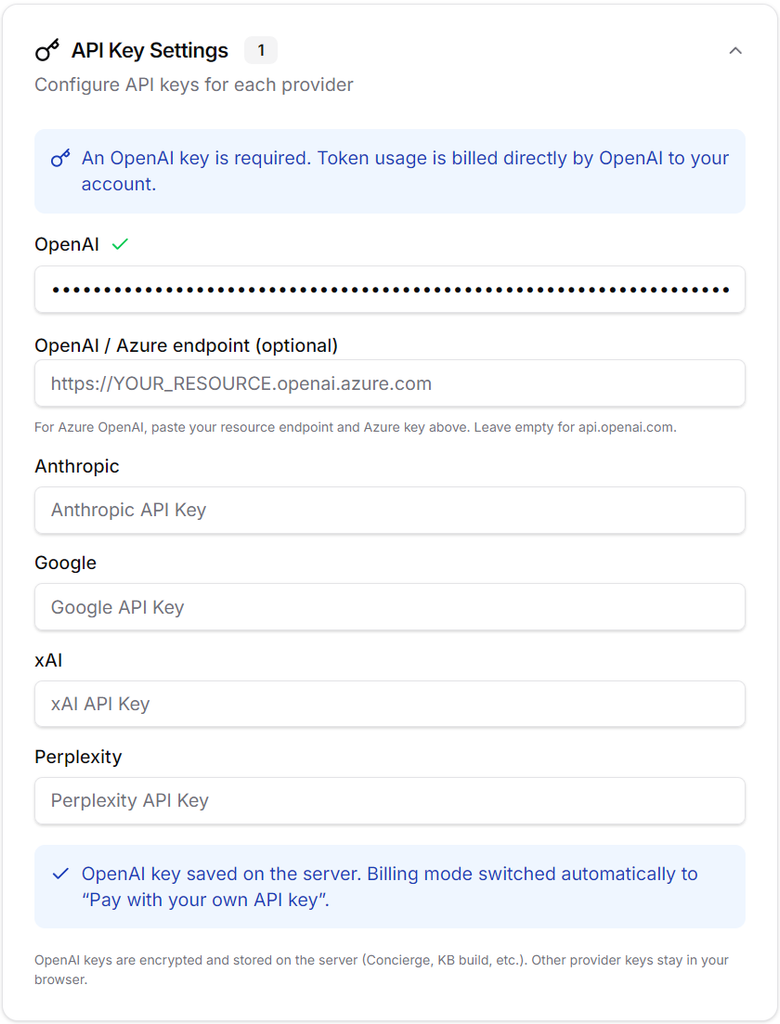
We recommend preparing your own OpenAI API key to use ConceptMiner R&D’s cross-domain concept exploration feature. While you can utilize the LLM access provided by the system, doing so requires purchasing additional credits via the dashboard or ordering an additional LLM access pack.
Please paste the API key you obtained into the OpenAI field within the API key settings section of the settings page (located in the left sidebar). Your choice of model significantly impacts output quality. While gpt-4o-mini is sufficient for simply verifying functionality, it is not recommended for production use; we suggest using a model such as gpt-5.4 in the custom model section. Please note, however, that higher model numbers incur higher token costs. Generating approximately 1,000 R&D hypotheses using gpt-5.4 consumes about 20 USD in credits, but we believe the value it adds to research and development makes it well worth the cost.
R&D Theme Explore
Selecting “R&D Theme Explore” from the left sidebar brings up a screen like the one shown below. Here, rather than performing a keyword search, you configure settings based on questions such as: “What kind of theme do you wish to explore?”, “What value does the technology provide?”, “What is the current stage of the technology’s development?”, and “Through what structure will the technology be adopted?”
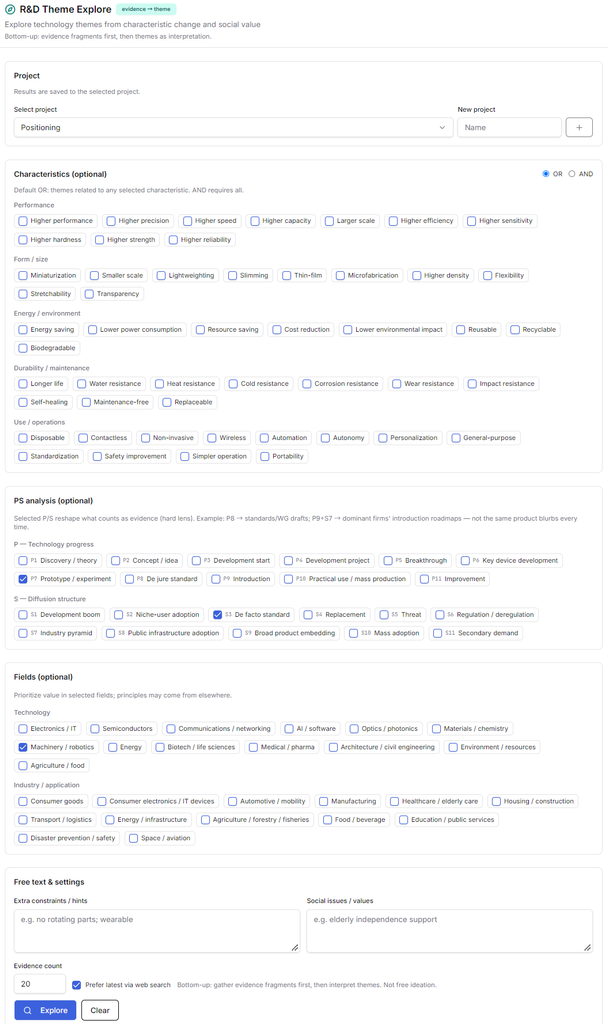
To make an effective selection, simply check one or two items under “Characteristics,” and about one item each for “P” and “S” in the PS analysis. The ideal number of themes to select is between three and nine. Additionally, selecting a single item from either the technical or industrial fields is sufficient. Please use the free-text field only if none of the predefined options apply; we strongly recommend avoiding the use of specific keywords. Enter the desired number of evidence items and click “Explore” to have the AI agent begin the search process. Please note that requesting a larger number of evidence items will increase LLM token costs and extend the search time.
Once the search is complete, the evidence and themes will be displayed.
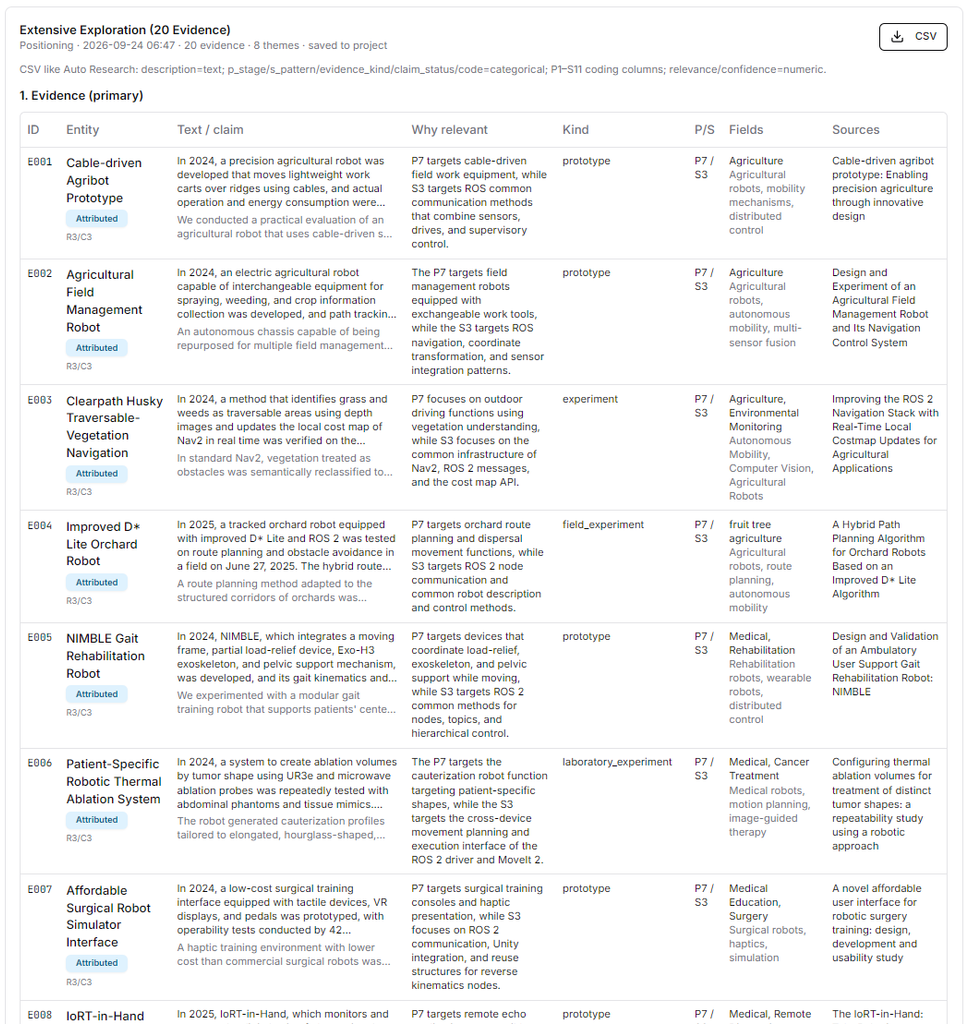
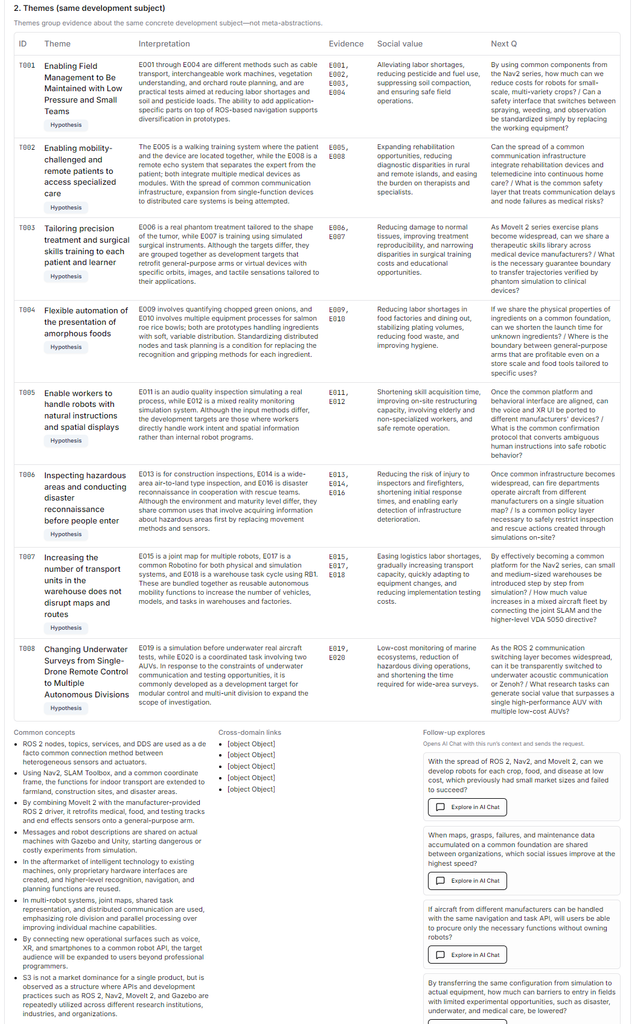
The evidence is saved in CSV format, allowing you to formulate strategies later using a concept map. The “themes” represent groupings of evidence based on commonalities identified by the LLM; please treat them as a reference, as the concept map may offer a different perspective. Finally, a prompt for further exploration has been generated in Follow-up explores section. Clicking “Explore in AI chat” will switch the view to the AI chat interface, where the AI will provide a response.